Convenience store foodservice

CEFCO Kitchen

Made-to-order food that fits the way people already shop a convenience store.

  • Freestanding kiosks
  • Kitchen display
  • Barcode checkout
  • English and Spanish
01

The Challenge

Ordering Was Tying Up the Kitchen

CEFCO wanted made-to-order food to feel like a natural part of a convenience store visit. Taking orders at the kitchen counter pulled employees away from making food, and a separate food checkout would have added a second line.

Any solution also had to work around the store’s existing POS, payment and branded fuel-processing systems instead of replacing them.

02

The Reji Solution

Order. Shop. Pick Up.

Customers build and customize their food on an easy-to-use touchscreen designed to naturally encourage modifiers and upsells. As an illustration, a basic $4 burrito can become a $12 order as customers add proteins, toppings, sides and extras.

Once submitted, the order goes straight to the kitchen while the kiosk prints a barcode receipt. The customer keeps shopping while their food is prepared, brings any other items to the register, and scans the food-order barcode during their normal checkout.

No second checkout. No waiting at the kitchen counter. No disruption to the existing store experience.

Built Around the Kitchen, Not Just the Customer

We didn't stop at the kiosk. Reji's Kitchen Display System was designed around how employees actually prepare food. Menu components and preparation steps can be organized to match the physical layout of a store's hot bar and kitchen.

Instead of sending employees back and forth between ingredients, the software can present preparation steps in the same order employees physically move through the kitchen.

Faster preparation, less unnecessary movement and easier employee training.

Increase the Ticket Without Increasing the Pressure

Self-service creates an opportunity to increase average order value without employees constantly upselling. The ordering experience can present:

  • Add-ons
  • Modifiers
  • Premium proteins
  • Toppings
  • Sides
  • Combos
  • Upgrades

Customers stay in control while the platform consistently presents opportunities to build a larger order.

Works With the Technology You Already Have

Convenience stores run complex technology, from POS and payment systems to fuel processing and back-office infrastructure. Reji was designed to integrate around that environment rather than force retailers to replace it.

That allowed us to deploy self-service food ordering for CEFCO and smaller convenience-store operators without interfering with their existing branded fuel-processing infrastructure.

Multiple languages

Order in English or Español

Convenience stores serve everyone who walks through the door. For CEFCO, Reji put an English and Español choice on every screen, so customers could switch languages at any point and keep building the same order.

Reji supports multiple languages across the ordering experience, from the welcome screen and food groups to buttons and checkout, so each location can offer the languages its customers speak.

EnglishSelect a Food GroupSubmit Order EspañolSeleccione un grupo de alimentosEnviar pedido
03

How It Works

Order. Shop. Pick Up. · 0:40Watch on its own page

  1. Step 1 Kiosk Order Customers build and customize their food
  2. Step 2 Kitchen Preparation The order goes straight to the kitchen
  3. Step 3 Customer Shops They keep shopping while food is made
  4. Step 4 Barcode Checkout One scan at the register, with everything else
  5. Step 5 Food Pickup Hot, fresh and ready to go
04

On Location

Inside the Store

CEFCO Kitchen and Wingfingers counters, and the ordering screens Reji built in English and Spanish.

  • CEFCO Kitchen counter with two floor kiosks between the Order Here and Pick Up Here signs
  • CEFCO store with self-order kiosks beside the hot bar and kitchen
  • Two CEFCO kiosks, one on a taco deal welcome screen and one asking if the customer needs more time
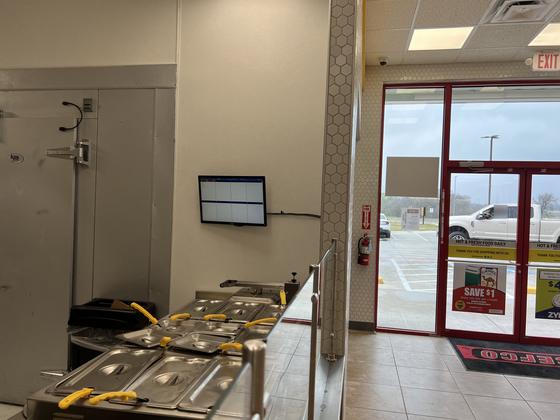
  • Kitchen display mounted beside the CEFCO food prep line
  • CEFCO Kitchen welcome screen with English and EspaƱol buttons
  • CEFCO food group menu: Hand Breaded Cluckers, Biscuits & Gravy, Tacos, Burritos, Bowls, Wings & Sides
  • Build Your Own Burrito with proteins, included ingredients and toppings
  • Burrito built with Clucker, toppings selected and pico de gallo removed
  • Complete your meal screen offering fries, a fountain drink and coffee
  • CEFCO menu and order in English
  • The same CEFCO menu and order in Spanish
  • Wingfingers counter with two self-order kiosks under the menu boards
  • Wingfingers welcome screen featuring breakfast and the Gooey Wingfingers Bowl
  • Wingfingers welcome screen announcing wings at all locations
  • Wingfingers food groups: finger combos, hot lips, wings, sandwiches, salads, bowls and more
  • Wingfingers finger combo menu with starting prices
  • Wingfingers flavor and side sauce choices
  • Wingfingers lunch combo with drink and side upgrades
  • Name for the order screen with an on-screen keyboard

See more real kiosks and screens in Reji in the Wild

05

The Outcome

ResultIncreased ticket lift in the first monthMeasured after the kiosks launched.

What We Delivered

  • Self-Service Ordering
  • Kitchen Displays
  • Intelligent Upselling
  • Barcode Checkout
  • POS Integration
  • Menu Management
  • Hardware Integration
  • Multi-Location Deployment
  • Multi-Language Ordering
Your turn

Have a Problem Like This One?

Tell us how your business runs today. We’ll show you what Reji would look like built around it.

More Customer Stories

All stories