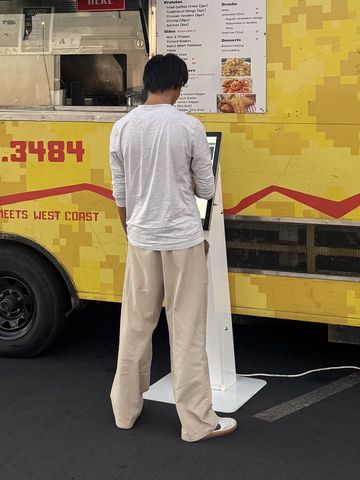
01TapYour branded welcome screen starts every order
02CustomizeSizes, modifiers and upsells on every item
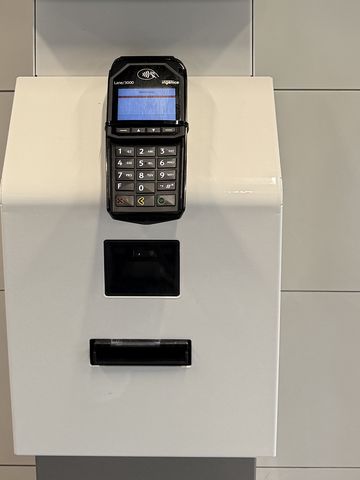
03PayCard or cash, right at the kiosk
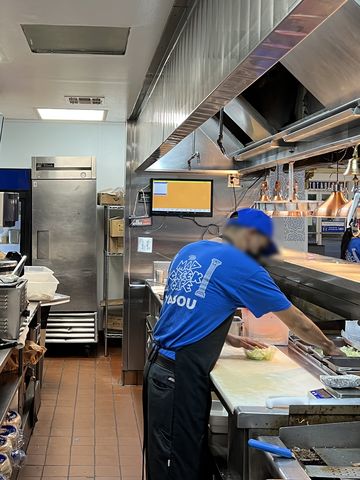
04KitchenOrders print or appear at the right station
Our Kiosk Partners
Already have a kiosk, or need to buy one? Either way, choose from one of our partner manufacturers. Reji runs on kiosks from every manufacturer listed here, whether it's a countertop, wall-mounted or freestanding model, and if you already own compatible hardware from one of them, we'll set Reji up on it.
Austin freestanding kiosks are in stock now.All other kiosks have a 4 to 6 week lead time from order.Every model runs the full Reji platform.
$999/mo Every kiosk in our lineup is one lease-to-own price. The lineup rotates on its own. Use the arrows or a brand to browse, and select a kiosk to see details.
Not sure which hardware fits? Ask us and we'll match the kiosk to your space.
The experience
The Customer Journey
Every step is configurable. Follow the path from the first touch to a completed order, with real screens from Reji deployments.
Tap the highlighted button on the screen to move through an order. Screens from real deployments.
Rotating attract screens showcase products, promotions and branded content to draw customers in. Customers can also choose their language, such as English or Spanish, and switch at any point while they order.
Once engaged, the kiosk can ask whether the order is Dine In or To Go.
Optional customer information such as a name, phone number or pager number, or skip it entirely when it isn't needed.
The Home Screen uses visual categories to make the menu easy to navigate. Selecting a category shows its available items.
Choosing an item guides the customer through any required sizes, option groups, modifiers, add-ons and upcharges before adding it to the order.
The Cart brings everything together so customers can review their selections and total before continuing.
An optional Rewards experience can identify loyalty customers and earn or redeem rewards, or be removed entirely.
Clear Payment Instructions guide the customer through the payment experience you configure, using one of our payment partners.
An Order Successful screen confirms the transaction, shows any order or pickup information, and resets for the next customer.
Step 8, up close
Our Payment Partners
Reji connects the kiosk to the payment processors and terminals businesses already trust. Our payments are semi-integrated: the card goes to a certified payment terminal and straight to the processor, so card data never passes through Reji. That keeps Reji out of PCI scope.
Reji kioskBuilds the order and sends the total
Payment terminalReads the card and handles all card data
Your processorApproves the payment and returns the result