Keep Square.
Add Self-Service.
Add a Reji kiosk without replacing the POS you already use.
Already using Square to run your business? Keep it. Reji gives restaurants, coffee shops, food trucks and other operators self-service ordering, custom menus, modifiers, upsells and kitchen printing, while you keep using Square for your existing POS, payments and reporting.
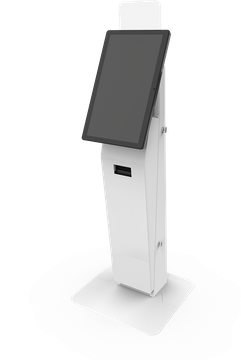
Square for POS. Reji for Self-Service.
You don't need to replace the technology your employees already know just to introduce kiosks. Reji works alongside your existing Square setup, giving customers a dedicated self-service ordering experience while your business keeps using Square for its day-to-day operations.
- Payments
- POS
- Reporting
- Existing Operations
- Self-Service Ordering
- Custom Kiosk UI
- Complex Menus
- Modifiers
- Upsells
- Kitchen Printing
What Your Customers Experience
Choose the order flow that fits your counter. Both keep Square as your POS.
Printed order ticket
The customer carries a receipt from the kiosk to the register.
-
Customer orders on the kioskThey browse the menu, customize items and see every upsell.
-
Kitchen ticket prints or goes to your KDSA kitchen receipt prints in the kitchen, or the order appears on your kitchen display.
-
Order receipt prints at the registerYour team enters the order into Square manually.
-
Kiosk prints the customer's receiptThe customer keeps it while the food is made.
-
Customer pays and picks up at the counterWhen the order is ready, they bring the receipt to the cashier, pay in Square and pick up their food.
Name or phone, no customer receipt
Orders are matched by name or phone, and the kiosk saves receipt paper.
-
Customer enters a name and/or phone numberBefore ordering starts. Ask for a name, a phone number, or let them choose either.
-
Customer orders on the kioskThey browse the menu, customize items and see every upsell.
-
Kitchen ticket prints or goes to your KDSA kitchen receipt prints in the kitchen, or the order appears on your kitchen display.
-
Order prints at your POS printerYour team enters the order into Square manually, matched by name or phone.
-
Kiosk shows on-screen instructionsNo customer receipt to print. The screen tells the customer what to do next.
Saves receipt paper at the kiosk.
These are two possible setups out of many. Reji configures the order flow around how your counter, kitchen and Square setup already work.
Pilot it for up to a week
Try your order flow with a real kiosk in your store, side by side with Square, for up to a week. You can be up and running in as little as 2 days.
Turn Your Menu Into a Self-Service Experience
Reji recreates your ordering experience specifically for the kiosk, including categories, products, images, sizes, modifiers, add-ons, upgrades and pricing.
The kiosk guides customers through their order while consistently presenting opportunities for additional items and upgrades.
Less pressure on your counter. More control for your customer. More opportunities to increase the ticket.
Get Orders Into the Kitchen
Choose the kitchen workflow that fits your operation:
Your employees focus on fulfillment while Reji handles the customer ordering experience.
Start Without Replacing Everything
You shouldn't have to start over just because you want self-service.
Keep what works. Add what's missing.
Keep Square. Add Reji.
Add a kiosk to your Square business
Tell us about your business and the Reji team will reach out to set up your kiosk pilot. Fields marked with an asterisk are required.
Square is a trademark of Block, Inc. Reji is an independent company and is not affiliated with, endorsed by or sponsored by Square or Block, Inc.