Convenience store kiosks for foodservice
Order. Shop.
Pick Up.
Turn made-to-order food into a seamless part of the store.
Customers order food at a Reji kiosk, get a barcode receipt, and keep shopping while the kitchen makes it. At the register, the cashier scans the barcode with everything else in the basket. No second checkout. No waiting at the kitchen counter.
- English and Spanish
- Barcode checkout
- Kitchen display
- PDI price book sync
- Breakfast Burrito$6.49
- + Bacon, extra cheese$2.00
- Hash Brown$1.99
- Large Iced Coffee$2.79
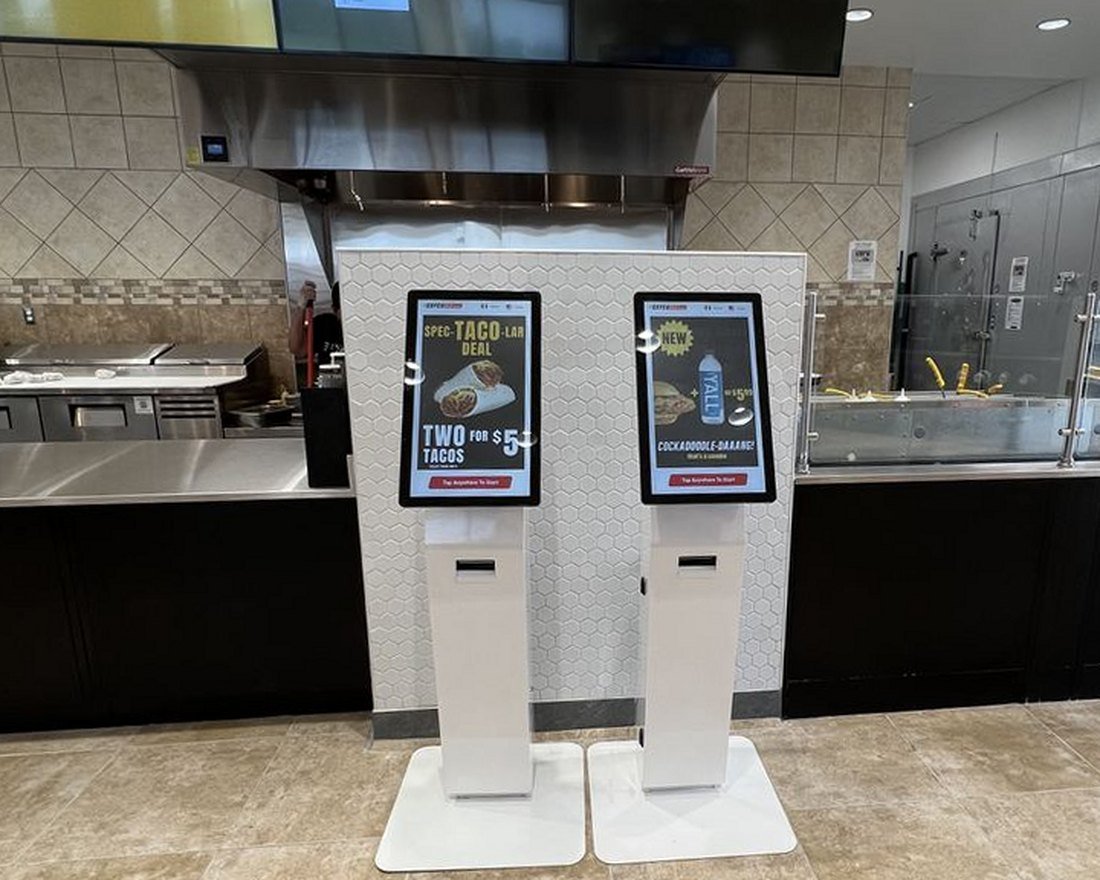
One Trip Through the Store
The food order fits into the visit your customers already make, instead of adding a second line.
Order. Shop. Pick Up. · 0:40Watch on its own page
- Step 1 Order at the kiosk Customers build and customize their food in English or Spanish, with every add-on offered.
- Step 2 Barcode receipt prints The order goes straight to the kitchen while the kiosk prints a barcode receipt.
- Step 3 Keep shopping Customers grab drinks, snacks and anything else while their food is made.
- Step 4 Scan at checkout The cashier scans the barcode with the rest of their items. One transaction.
- Step 5 Pick up the food Hot, fresh and ready to go.
Your Price Book In. Every Order Back Out.
Reji maps the items in your PDI price book to a kiosk menu built for self-ordering, then pushes every completed order back to PDI for accounting. Turn on price sync and a price change in your price book updates the matching items on every kiosk.
ITEM_CD 10442DESC BRKFST BURRITORETAIL 6.49ITEM_CD 10457DESC BACON ADDRETAIL 1.25Items and prices stay where they already live, in the price book your stores run on.
 MapMenuKitchen
- The customer orders and checks out at the register
- Reji pushes the completed order to PDI by item code
- It happens in the background, so no one waits on the back office
Change a price in the price book and Reji updates the items already mapped, on every kiosk.
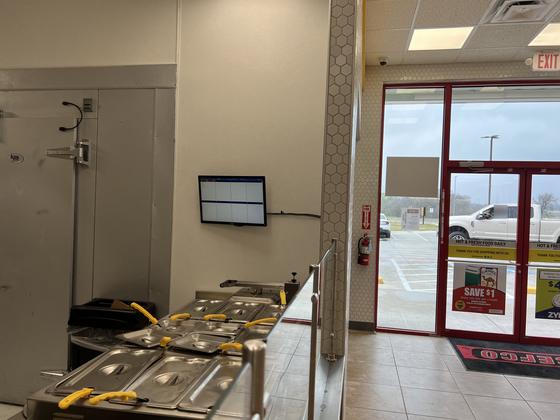
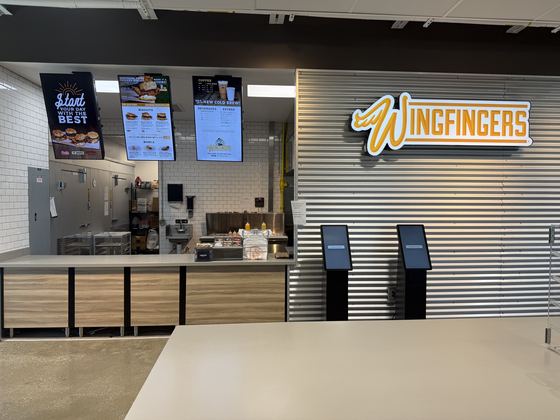
RETAILInside the Store
CEFCO Kitchen and Wingfingers counters, ordering screens in English and Spanish, and a deli counter synced to its PDI price book.




Bigger Tickets, Less Pressure
The kiosk presents add-ons, premium proteins, sides, combos and upgrades on every order, without your team having to upsell.
A $4 burrito can become a $12 customized order.
Built Around Your Kitchen
Orders print as kitchen tickets or appear on a kitchen display, with prep steps arranged in the order your team moves through the hot bar.
Faster prep, less movement, easier training.
Works With What You Run
Reji works around your existing POS, payment and fuel environment instead of replacing it, including PDI, where items and prices sync from your price book and completed orders flow back for accounting.
The barcode checks out at the register you already use.
Built for CEFCO Kitchen, Ready for Your Stores
Reji built this workflow for CEFCO's made-to-order kitchen, inspired by the self-service experience Wawa made famous. It now runs as reusable technology for convenience stores of any size.
Read the full CEFCO storyChoose Your Kiosk
Reji runs on countertop, wall-mounted and freestanding kiosks from our partner manufacturers, so you can match the hardware to your food counter. Already have kiosks from one of them? We'll set Reji up on those.
-
Olea Kiosks Austin, Santa Fe, Irvine Austin in stock

-
Hanasis Omnia

-
Kiosk.com Apex

-
Diebold Nixdorf DN Easy Max

-
G&R Solutions Giosk 32C Curve

-
Slabb Kiosks Self-checkout and micro markets

-
iMin Heron, Heron Mini

The Hanasis Omnia is Reji inventory: buy it for $2,499 or own it in four months on lease to own ($999 to get started). Software starts at $149/mo per kiosk, even lower with volume, and from $49 in months without a sale. Other models are manufacturer-direct, typically 4 to 6 weeks from order. Compare kiosk models and datasheets
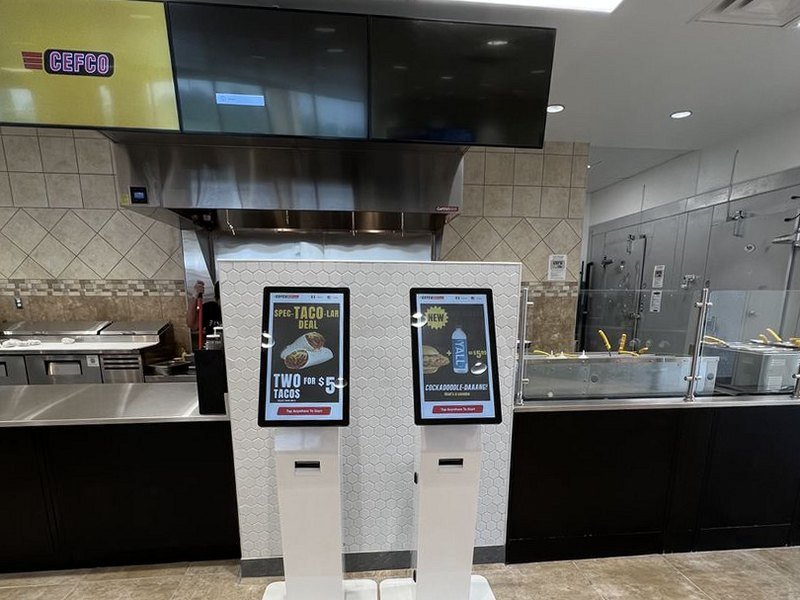 Historical case studyConvenience Stores · Historical Case StudyCEFCOA multi-year rollout of self-service ordering across more than 50 convenience stores, built around existing checkout and kitchen workflows.Explore Solution
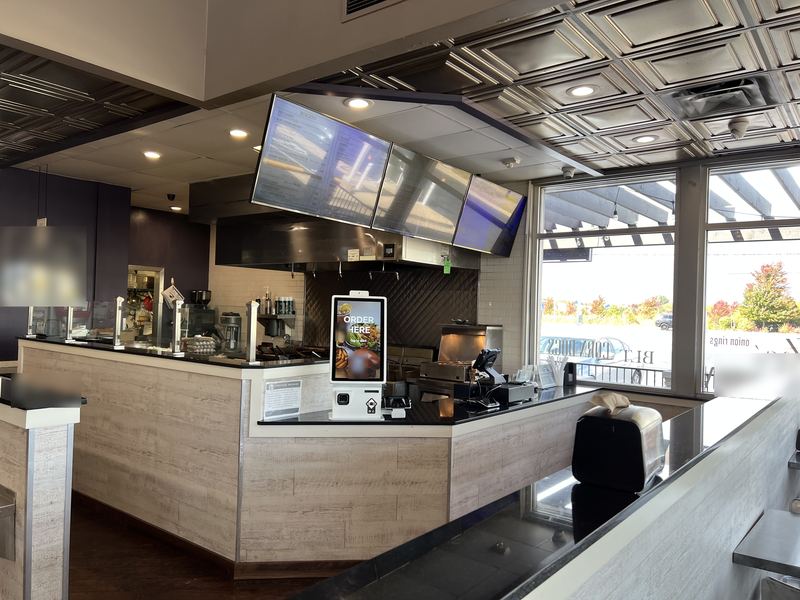 Fast-Casual · Retail SystemsCounter DeliKiosk items and prices synced from a PDI price book, with orders pushed back for accounting.Explore Solution
Bring self-ordering to your store
Tell us about your stores and foodservice program, and the Reji team will reach out. Fields marked with an asterisk are required.