Quick-service kitchen

Wingfingers

Every order timed from the first tap on the kiosk to the moment the kitchen bumps it.

  • Two self-order kiosks
  • Kitchen display
  • Full order time tracking
  • Order exports
  • Combo upcharges
  • Drink station reminders
01

The Goal

Optimize the Kitchen, Not Just the Line

Wingfingers serves made-to-order breakfast, wings, finger combos and bowls from a busy counter. Self-service ordering moved customers off the counter line, but the team wanted to know what happened after the order was placed: how long customers spent ordering, how long each ticket sat in the kitchen, and which items were driving the work.

They also wanted bigger tickets without asking staff to upsell, and fewer customers walking up to the register without the drink cups they had already paid for.

What they needed

Know the Whole Order, End to End

A kiosk that tells you how many orders came in is useful. A kiosk that tells you how long each order took, where the time went and what was in it lets a kitchen plan its prep, staffing and layout around real orders.

Kitchen OptimizationOrder Time TrackingTicket LiftSelf-Service Ordering
02

The Reji Solution

Full kitchen order time

Two Timers. One Complete Order Time.

Reji times every kiosk order in two parts and adds them together, so Wingfingers can see the whole order, not just the kitchen’s half of it.

  1. Kiosk OrderThe time the customer spends placing the order on the kiosk
  2. Kitchen PrepFrom the moment the order hits the kitchen display until the team bumps it
  3. Order TimeThe complete order, from first tap to finished food
Exportable report

See What Was Ordered, Then Prepare for It

Every order behind the averages is one click away: date and time, ticket number, every item and modifier, and its kiosk order, kitchen prep and total order time. Wingfingers can export the report to CSV and work with it in any spreadsheet.

Because each row lists exactly what was ordered, the team can spot which items and combos slow the line, what sells by daypart, and how to stage ingredients, prep ahead and staff the kitchen for it.

Real orders, real times, ready to plan the next shift around.

Upsell

Make It a Combo

When a customer picks a biscuit, a bowl or a finger basket, the kiosk offers to make it a combo, with a combo upcharge for the side and the drink. Fountain and coffee sizes are offered as upgrades inside the combo.

The offer appears on every eligible order, at the right moment, without anyone at the counter having to ask.

  • Combo upcharges
  • Drink size upgrades
  • Sides
  • Add-ons
  • Modifiers
Custom end-of-order alert

Don’t Forget Your Drinks

Drinks are poured at a self-serve drink station, so customers need their cups before they pay. At the end of every order with a drink, the kiosk shows a custom alert reminding the customer to pick up their cups at the drink station before heading to the register, and lists every drink in their order.

Customers arrive at the register with the right cups, and the team spends less time going back for forgotten drinks.

Pick up your drink cups

Please grab your cups at the drink station before heading to the register:

  • 1 Large Fountain
  • 1 XL Fountain
  • 1 Large Coffee
Got it Illustrative example
03

Kitchen Order Time

One Business Day at Wingfingers

Actual figures from the Reji dashboard: 107 kiosk orders, every one of them bumped on the kitchen display.

  • Avg kiosk order1:03107 kiosk orders
  • Avg kitchen prep4:34107 of 107 bumped
  • Avg order time5:37Kiosk order + kitchen prep
Reji portal · Kitchen Prep Time · Orders
Kitchen Prep Time orders report listing each order's time, ticket number, items, kiosk order time, kitchen prep time and total order time, with an Export CSV button
Each average opens the orders behind it. Customer names are blurred. Figures are from one business day and are shown as an example; results vary by business.
04

On Location

At the Counter

The Wingfingers counter and the ordering screens Reji built, from breakfast to wings and combos.

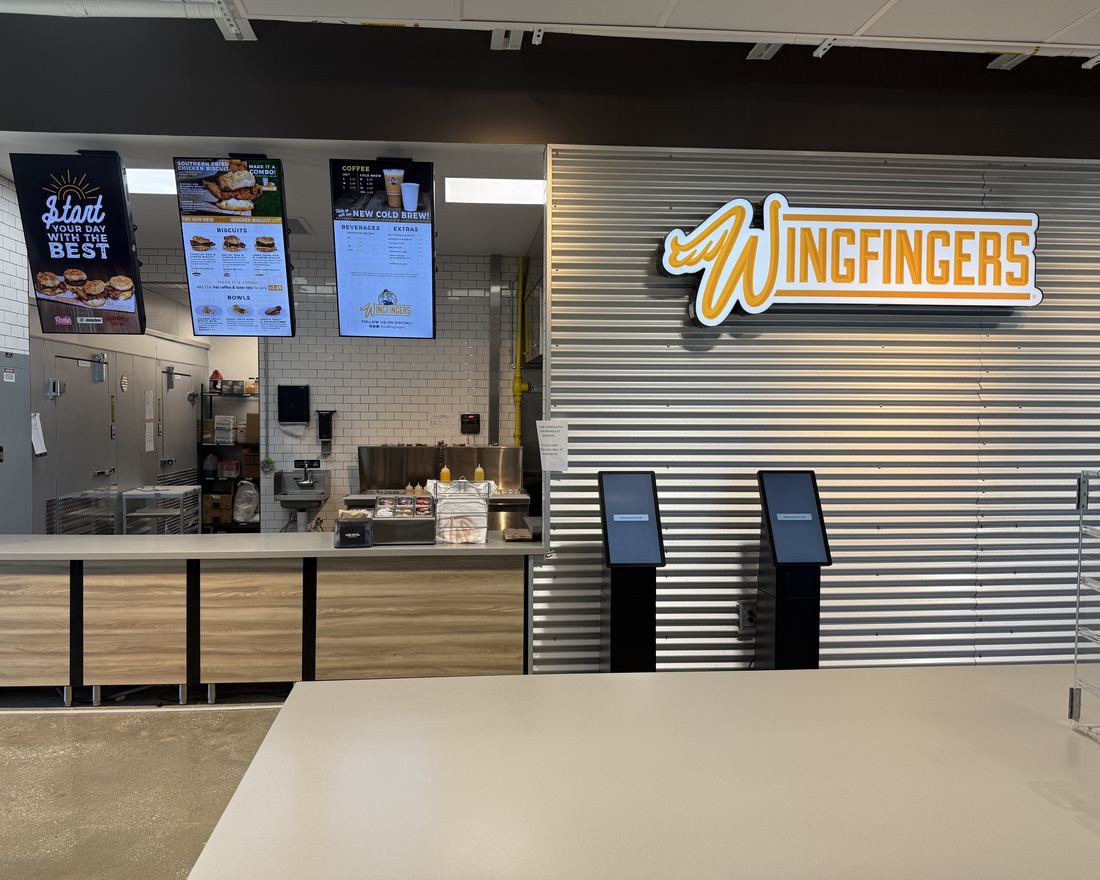
  • Wingfingers counter with two self-order kiosks under the menu boards
  • Wingfingers welcome screen featuring breakfast and the Gooey Wingfingers Bowl
  • Wingfingers welcome screen announcing wings at all locations
  • Wingfingers food groups: finger combos, hot lips, wings, sandwiches, salads, bowls and more
  • Wingfingers finger combo menu with starting prices
  • Wingfingers flavor and side sauce choices
  • Wingfingers lunch combo with drink and side upgrades

See more real kiosks and screens in Reji in the Wild

05

The Outcome

Why it matters

A Kitchen That Can See Its Own Orders

Wingfingers can now follow a full order from the kiosk to the kitchen and back to the customer, and export the details to plan prep around what customers actually order.

Combo upcharges grow the ticket on every eligible order, and the drink station reminder keeps customers moving from the kiosk to the drink station to the register.

Order Time TrackingKitchen DisplayReporting
Measured5:37 average order time across 107 kiosk orders1:03 ordering at the kiosk plus 4:34 in the kitchen, as reported in the Reji dashboard.

What We Delivered

  • Self-Service Ordering
  • Kitchen Display
  • Full Order Time Tracking
  • Order Report Export
  • Combo Upcharges
  • Custom Order Alerts
  • Menu Management
Guided setup

Time Every Order in Your Kitchen

Reji can set up self-service ordering, a kitchen display and full order time reporting around the way your kitchen already works.

More Customer Stories

All stories