A Kiosk That Never
Stops Taking Orders
Upload your menu. We'll handle the rest.
Reji self-ordering kiosks take orders, suggest upsells on every ticket and send orders straight to your kitchen. Customers can pay at the kiosk or pay at pickup, whichever fits your business.
From Menu to First Order
No complicated setup. Give us your menu, and your kiosk is ready to take orders.
- Step 1 Upload your menu Send us your items, prices, photos and modifiers. We build them into your kiosk.
- Step 2 The kiosk downloads it Your branded menu loads onto the kiosk automatically, and updates the same way.
- Step 3 Customers order They browse, customize and add extras on their own, with every upsell offered.
- Step 4 Pay at the kiosk or at pickup Take card payment at the kiosk, or let customers pay when they pick up.
- Step 5 Order goes to the kitchen A kitchen ticket prints or the order appears on your kitchen display.
Every Step at the Kiosk
From the first touch to a finished order. Use the steps you need and skip the ones you don't.
- Attract Rotating screens draw customers in.
- Dine In / To Go Optional Customers choose how they're eating.
- Identify Optional Name, phone or pager number.
- Browse Visual categories make the menu easy.
- Customize Sizes, modifiers, add-ons and upsells.
- Cart Review the order and total.
- Rewards Optional Earn or redeem loyalty rewards.
- Pay At the kiosk or at pickup.
- Complete Confirmation and pickup details.
Pay at the Kiosk or Pay at Pickup
Choose the checkout that fits your counter. You can change it any time.
Pay at the kiosk
Customers tap, insert or swipe right at the kiosk and their order goes straight to the kitchen. Nothing for your cashier to ring up.
Best for fast, fully self-service counters.
Pay at pickup
Customers order at the kiosk and pay when they collect their food, with card or cash at your register.
Best when you want to keep your current register in the loop.
Works with the payment partners you already use
Card data goes from a certified payment terminal straight to your processor and never passes through Reji, which keeps Reji out of PCI scope.
-
Shift4 Supported

-
CardConnectCardConnect Supported
-
WorldpayWorldpay Supported
-
FreedomPayFreedomPay Supported
-
DatacapDatacap Supported
-
Verifone Supported

-
IngenicoIngenico Supported
-
CloverClover In progress
-
SquareSquare In progress
More Orders. Bigger Tickets. Less Waiting.
Ticket lift on every order
The kiosk suggests add-ons, combos and upgrades every single time, so average tickets grow without anyone having to ask.
Built-in upsells
Prompt sides, drinks, premium options and combos at the right moment in the order.
Always taking orders
A kiosk never gets busy, never takes a break and never makes a customer wait to be helped.
Shorter lines
Customers order on their own while your team focuses on making food and serving guests.
More accurate orders
Customers pick every option themselves, so the order reaches the kitchen exactly as they wanted it.
Complex menus made simple
Sizes, modifiers, add-ons and upcharges, guided one step at a time.
Branded to your business
Your colors, your photos and your menu, so the kiosk looks and feels like you.
Works with what you run
Reji works alongside your existing POS, payments and kitchen setup.
A $4 order can become a $12 order.
The kiosk asks every time.
Choose Your Kiosk
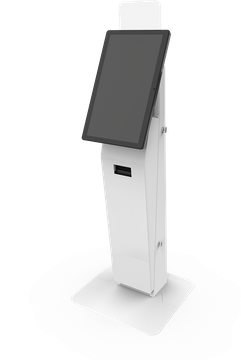
Reji runs on countertop, wall-mounted and freestanding kiosks from our partner manufacturers, so you can match the hardware to your space. Already have kiosks from one of them? We'll set Reji up on those.
-
Olea Kiosks Austin, Santa Fe Austin in stock

-
Hanasis Omnia

-
Kiosk.com Apex

-
Diebold Nixdorf DN Easy Max

-
G&R Solutions Giosk 32C Curve

-
Slabb Kiosks Self-checkout and micro markets

-
iMin Heron, Heron Mini

Austin freestanding kiosks are in stock now. Other models ship in 4 to 6 weeks. Compare kiosk models and datasheets
Get your self-ordering kiosk
Tell us about your business and the Reji team will reach out. Fields marked with an asterisk are required.